
Time is the quiet engine behind every modern system. It ticks away without asking for attention, yet every log entry, scheduled task, and network packet depends on it. On Linux, the idea of time often comes down to one simple number. That number is Unix Time. It is raw, clean, and trusted by developers across the globe. If you have ever checked a server log at 2 AM or synced data across machines, you have already relied on it.
Unix Time counts seconds from a fixed starting moment. No months. No leap years. No timezone confusion. Just seconds flowing forward. Many engineers like to keep a reference open while working, such as time now for Unix time, to compare live values with command line output. That habit saves time and prevents mistakes.
Linux makes working with this format refreshingly simple. You can pull the current timestamp in one command. You can script it. You can log it. You can send it across systems without worrying about formatting. This article walks through how it works, why it matters, and how to use it with confidence.
What Unix Time Really Means
Unix Time starts counting from January 1, 1970, at 00:00:00 UTC. This moment is often called the epoch. From there, every second adds one to the count. If the timestamp reads 1, that means one second after the epoch. If it reads 1,000,000, that means one million seconds after that moment.
The beauty of this system is its simplicity. No calendars. No daylight saving changes. No local offsets. Everything stays aligned. Linux systems use this internally for scheduling, file metadata, and process timing.
This approach also explains why Unix Time feels universal. A timestamp generated on a server in Tokyo means the same thing on a laptop in Berlin. The number does not change. Only the human interpretation does.
A Short Summary
Unix Time is a shared language for machines. Linux makes it easy to read, store, and convert. One command gives the present moment as a number. That number travels cleanly across systems and scripts.
Why Linux Users Rely on Unix Time
Linux grew up in environments where consistency mattered. Servers talk to other servers. Scripts run without human eyes watching. Logs must line up across machines. Unix Time fits this world perfectly.
Here are a few reasons it remains popular.
- It avoids timezone confusion.
- It sorts naturally as a number.
- It works across programming languages.
- It stores efficiently.
Each point above reduces friction. Less friction means fewer bugs. Fewer bugs mean calmer nights for administrators.
The Basic Command You Should Know
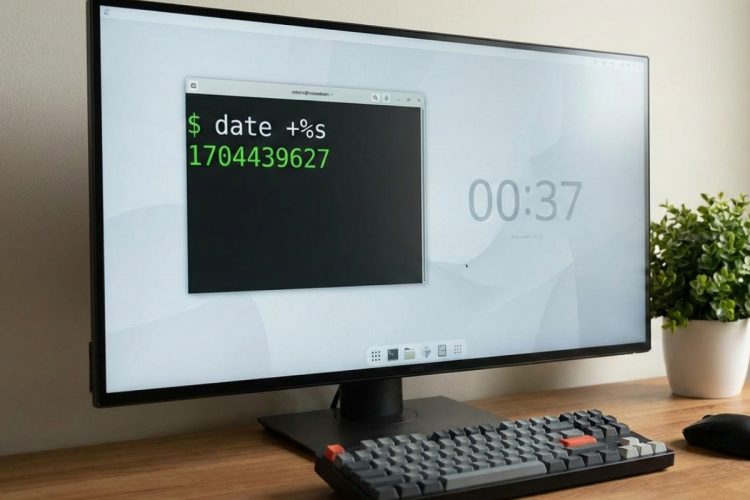
On Linux, the core command to fetch the current Unix timestamp is simple.
date +%sThat single line prints the number of seconds since the epoch. No extras. No formatting noise. Just the raw value.
Try it in a terminal. Run it twice. You will see the number increase. That tiny change is time passing in its purest form.
Breaking Down the Date Command
The date command has been part of Unix systems for decades. The +%s format string tells it to output seconds since the epoch.
You can also combine this with other formats. Linux lets you shape time output as needed.
For example, you can print both human time and Unix Time together. This helps during debugging.
date "+%Y-%m-%d %H:%M:%S | %s"That line shows a readable timestamp next to the raw seconds. Seeing both side by side builds intuition.
Using Unix Time Inside Shell Scripts
Shell scripts love Unix Time. Numbers are easy to compare. Arithmetic stays clean.
Here is a simple pattern.
now=$(date +%s)That variable now holds the current timestamp. From there, you can store it, subtract it, or send it elsewhere.
One common use is measuring duration.
- Store a start timestamp.
- Run a task.
- Store an end timestamp.
- Subtract start from end.
This pattern appears everywhere. Build scripts. Backup jobs. Monitoring checks.
Converting Unix Time Back to Human Form
Raw seconds are great for machines. Humans still prefer dates.
Linux handles conversion cleanly.
date -d @1700000000Replace the number with any timestamp. The command prints a readable date in your local timezone.
This is helpful when reading logs. A large number becomes a clear moment in time.
Unix Time and File Timestamps
Every file on a Linux system carries time metadata. Creation. Modification. Access.
Under the hood, these values are stored as Unix Time. Tools convert them for display.
This design keeps file systems consistent. It also explains why tools likestat can show timestamps with such precision.
| Timestamp Type | Purpose |
|---|---|
| Access | Last read time |
| Modify | Last content change |
| Change | Metadata update |
Precision and the Question of Fractions
Classic Unix Time counts whole seconds. Modern systems often need more detail.
Linux supports higher precision through nanoseconds. Many tools expose this quietly.
For example, system calls and some file systems track time with sub-second accuracy. The core idea stays the same. Seconds since the epoch remain the base.
Colorful Thoughts From the Command Line
| “Unix Time is honest. It does not care where you live or what clock you read.” |
| “When logs agree on timestamps, debugging feels calm.” |
Thinking in Seconds Instead of Dates
Once you grow comfortable with Unix Time, something shifts. You stop worrying about formats. You start trusting the flow of seconds.
Linux encourages this mindset. The tools are simple. The output is clear. The behavior stays stable year after year.
That reliability is the real gift. When time behaves, everything else feels easier.
