
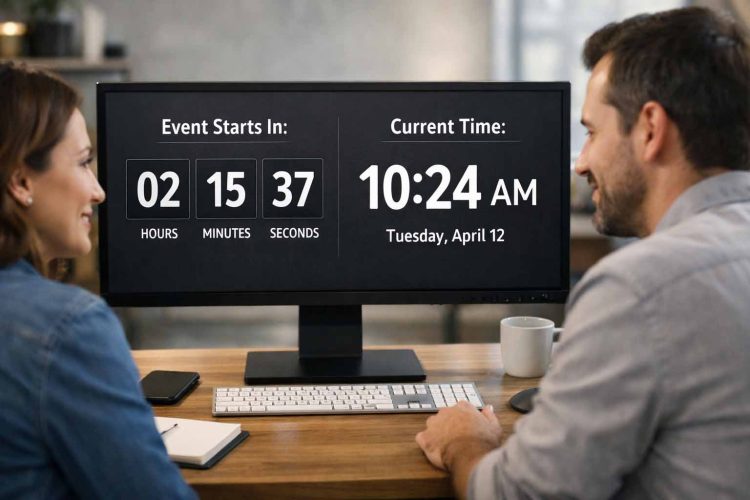
Time shapes how people read and act on a website. Visitors want to know when something begins, when it ends, or what time it is right now. Without that context, even clear content can feel uncertain. Users pause. Some move on.
Adding a clock widget or a countdown widget gives visitors immediate clarity. These small elements answer timing questions without extra explanation. They work well for event pages, launch announcements, service updates, and tools that rely on real-time awareness.
For pages that involve deadlines or scheduled moments, an event countdown timer provides a clear signal of how much time remains. The display updates automatically and removes the need for visitors to calculate dates on their own.
Quick Overview
This article explains why time-based widgets matter, how clock and countdown widgets differ, and where each fits best. It also covers common use cases, embedding methods, accuracy concerns, and situations where Python-based logic offers better control.
Benefits of Adding Time and Countdown Widgets
Time widgets improve clarity the moment a page loads. A clock shows the current time without explanation. A countdown shows remaining time without extra text. Visitors understand the situation instantly.
Trust also improves. Live time displays signal freshness. Users feel more confident when timing information updates on its own rather than sitting as static text.
These widgets support global audiences as well. Time zones often confuse users, especially during online events or releases. A visible clock or countdown gives everyone the same reference point.
Maintenance stays minimal. Once added, widgets update automatically. There is no need to edit dates manually or reset timers after changes.
They also remain lightweight. Most widgets work through simple embeds and do not require backend logic, which keeps setup and long-term upkeep manageable.
Common Use Cases for Clock and Countdown Widgets
Clock widgets work well where ongoing time awareness helps users orient themselves. Dashboards often show the current time. Support pages display time alongside service hours. Internal tools benefit from visible time during coordination.
Countdown widgets fit situations tied to a specific moment. Product launches, registration deadlines, and scheduled maintenance windows all become clearer with a visible countdown. Visitors know exactly how long remains without scanning the page for details.
Choosing the Right Widget for Your Website
The choice depends on intent. A clock answers “what time is it now.” A countdown answers “how long until this changes.”
Content context matters. A tutorial page rarely needs a clock. An event page often benefits from a countdown. User expectations guide this decision.
Backend logic may still play a role. Sites that manage time zones or schedules in code need consistent handling behind the scenes. Careful Python time handling ensures offsets and conversions stay accurate before time is shown to users.
How Clock and Countdown Widgets Are Typically Embedded
Most widgets rely on embeds. An iframe embed works by placing a short snippet into the page. The widget loads independently and updates itself.
Some widgets use lightweight scripts. These allow more control over styling while keeping setup simple.
Custom solutions offer full control but increase responsibility. Developers must handle calculations, updates, and edge cases. For many projects, widgets meet the need without extra complexity.
During development, teams often validate logic locally. Running Python scripts during testing helps confirm calculations before time is shown on a live page.
Adding a Live Clock Widget to a Website
A clock widget displays the current time and updates continuously. It may show hours and minutes or include seconds and the date, depending on configuration.
Placement should stay subtle. Headers, footers, dashboards, and sidebars work well. The goal is visibility without distraction.
A ready-made live clock widget offers a simple way to display real-time information without writing JavaScript or managing updates manually.
When a Custom Python-Based Solution Makes Sense
Widgets work well for general display, but some sites need more control. User-specific schedules, recurring rules, or database-driven timelines often require custom logic.
Python handles these cases effectively. Scripts calculate dates, intervals, and offsets based on stored data. The front end then displays results generated by the backend.
Complex date calculations often rely on backend logic to support timing needs beyond what widgets provide.
Time Accuracy, Time Zones, and User Expectations
Accuracy affects credibility. A clock that shows the wrong time or a countdown that ends early causes confusion quickly.
Many systems rely on UTC as a shared reference and convert for display. This approach reduces regional errors and keeps timing consistent.
Client-side clocks depend on the user’s device. Server-side clocks depend on server configuration. Each approach has tradeoffs that developers should understand.
Official standards help maintain consistency. Coordinated Universal Time is defined and maintained by national time authorities and serves as the global reference for modern systems.
Clear labeling also helps users. Always indicate which time zone a clock or countdown uses.
Best Practices for Using Time Widgets Responsibly
- Keep displays simple and focused. Show only the time users need.
- Avoid unnecessary timers. Too many countdowns distract rather than inform.
- Label time meaning clearly so users understand what the display represents.
- Test across devices and regions to ensure consistent behavior.
Making Timing Clear for Visitors
Clock widgets and countdown widgets give websites a direct way to communicate time. They reduce uncertainty, support global users, and require little setup. When used thoughtfully and paired with accurate time handling, these small tools help visitors understand what matters and when it matters.
