
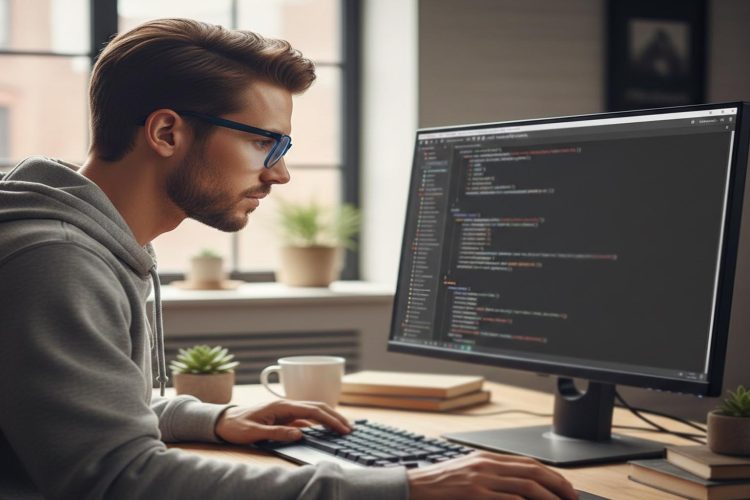
Your brain moves faster than your fingers. Every developer knows that feeling. You know the logic. You see the structure. Yet your hands slow you down. A misplaced colon breaks a function. A missing bracket throws a syntax error. A single space ruins the indentation. Python rewards precision, and touch typing is one of the simplest ways to build it.
Coding is physical. It is not just thinking. It is keystrokes repeated thousands of times each day. That makes typing speed and accuracy part of your development toolkit. A typing speed test offers a quick benchmark. It shows where you stand. It reveals accuracy gaps. It turns keyboard skill into something measurable and improvable.
Quick Summary
- Touch typing reduces syntax errors and speeds up Python development.
- Brackets, colons, indentation, and special characters demand muscle memory.
- Regular typing benchmarks help track accuracy and consistency.
- Structured drills focused on code symbols improve real coding performance.
Why Keyboard Skill Directly Impacts Python Code Quality
Python is readable, but it is strict. Indentation defines scope. Colons define blocks. Parentheses wrap expressions. Curly braces hold dictionaries. A small slip creates friction. You spend time debugging what should have been seamless. Touch typing builds automaticity. Your fingers learn patterns. Your eyes stay on the screen instead of the keyboard.
Consider a nested function with conditionals. Each line depends on clean indentation. When you hesitate or glance down, spacing errors creep in. That disrupts flow. Developers who type without looking maintain visual focus on structure. They catch logic issues earlier. They make fewer mechanical mistakes.
Even seasoned programmers benefit from refining typing mechanics. Coding is repetition. If the mechanical layer becomes effortless, cognitive bandwidth expands. You think more about architecture and less about keys.
Brackets, Colons, and the Symbols That Slow You Down
Many typing tests focus on plain text. Python does not. Python lives on symbols. You type parentheses dozens of times per file. You open and close square brackets in list operations. You handle curly braces for dictionaries and sets. You rely on quotation marks for strings.
If you have written code about curly brackets and indentation, you already know that structure matters. Muscle memory for these characters reduces misalignment. It lowers syntax errors that stem from simple slips.
Colons are another common issue. They appear in function definitions, loops, conditionals, and class declarations. Miss one, and Python complains instantly. A touch typist places them without hesitation. That saves seconds every time. Across hundreds of repetitions, seconds compound into meaningful time.
Common Symbol Friction Points
1. Parentheses mismatch during nested calls
2. Missing closing brackets in list comprehensions
3. Incorrect quotation mark pairing in strings
4. Inconsistent indentation levels after pressing Enter
5. Semicolons inserted out of habit from other languages
Each of these problems is small. Each is mechanical. Touch typing targets mechanical errors directly.
Indentation Discipline Starts With Finger Control
Python enforces whitespace. That design makes code elegant. It also means your Tab key becomes critical. Inconsistent indentation is one of the most common beginner mistakes. Even experienced developers can misalign blocks during rapid edits.
Strong keyboard control reduces that risk. You develop rhythm. You press Enter and Tab smoothly. You align nested blocks instinctively. You avoid mixing spaces and tabs accidentally.
This ties closely to understanding object oriented structures. Clean class definitions and methods depend on predictable indentation. Reviewing object oriented programming concepts becomes easier when the mechanical layer stays clean. The structure of your code reflects the structure of your thinking.
Accuracy Before Speed, The Right Development Mindset
Many developers obsess over words per minute. Speed matters, but accuracy matters more. In coding, one incorrect character can halt execution. A missing parenthesis stops a script. A stray space changes block structure.
Typing improvement should follow a simple hierarchy.
- Accuracy first
- Consistency second
- Speed third
Track accuracy percentages during practice. Aim for high precision. Once errors decrease, speed increases naturally. Rushing early only reinforces bad habits.
Benchmarking Progress With Structured Practice
Typing is trainable. Improvement is measurable. Running periodic assessments gives clarity. A developer who tracks progress builds discipline similar to version control habits.
Schedule a short test once a week. Record words per minute. Record accuracy. Focus on weak keys. If brackets slow you down, design drills around them. If capital letters break rhythm, train Shift key transitions deliberately.
Treat typing practice like a coding sprint. Set small goals. Review results. Iterate. The improvement curve is tangible within weeks.
Building Code Specific Drills
Generic typing passages rarely include Python syntax. You need practice that mirrors real coding. Construct short snippets. Repeat them. Train muscle memory for common patterns.
For example, practice writing small functions repeatedly. Include parameters. Include return statements. Include conditional blocks. Over time, your fingers recognize structure before your mind finishes planning it.
Try timed drills that focus only on list comprehensions. Then switch to dictionary declarations. Then practice class skeletons. These drills strengthen accuracy under mild pressure.
Example Drill Structure
Write the following patterns ten times each.
1. A function with two parameters and a return statement
2. A for loop with conditional filtering
3. A dictionary with three key value pairs
4. A class with an initializer and one method
Spacing between repetitions matters. Pause briefly. Reset posture. Maintain form.
Posture, Ergonomics, and Long Coding Sessions
Typing technique is not only about speed. It affects physical comfort. Poor posture strains wrists. Excessive force slows reaction time. Touch typing encourages relaxed hands. Fingers hover lightly. Movements become smaller and more precise.
Keep wrists straight. Adjust keyboard height if needed. Sit upright. Avoid pressing keys aggressively. Smooth keystrokes reduce fatigue during long debugging sessions.
Physical comfort supports mental clarity. That translates directly into better problem solving.
How Touch Typing Reduces Debugging Time
Consider a real scenario. You write a data processing script. It fails. The error message points to an unexpected indent. You scroll back. You scan spacing. The issue is a single extra space.
Touch typing reduces random input errors. Fewer random errors mean fewer trivial debugging sessions. You focus on logical bugs rather than mechanical ones.
Over a year of development, the time saved is significant. Fewer interruptions. Fewer breaks in concentration. Cleaner commit history.
Understanding Keyboard Layout and Python Syntax
Python uses a wide range of punctuation. Keyboard familiarity speeds access to less common characters such as backticks or pipes. Even if used rarely, hesitation disrupts rhythm.
The structure of the language is well documented in the Python language reference. Reviewing syntax rules reinforces why precise character placement matters. Typing accuracy complements language mastery.
Measuring Impact, A Practical Comparison
Below is a simplified comparison of how typing proficiency influences development workflow.
| Factor | Low Typing Accuracy | High Typing Accuracy |
|---|---|---|
| Syntax Errors | Frequent minor mistakes | Rare mechanical issues |
| Debugging Time | Higher due to typos | Focused on logic |
| Coding Flow | Interrupted often | Sustained concentration |
| Confidence | Hesitant keystrokes | Fluid execution |
The difference is subtle daily. It becomes dramatic long term.
Creating a Personal Improvement Plan
Improvement requires structure. Random practice does not yield consistent gains. Create a small weekly routine.
1. Take one benchmark test.
2. Identify weakest keys or symbols.
3. Run five focused drills on those characters.
4. Apply the skill immediately in a coding project.
This method connects practice with real work. That link reinforces learning faster.
Typing as Part of Your Developer Identity
Developers invest in frameworks, libraries, and tools. Keyboard mastery rarely gets attention. Yet it underpins everything. Clean typing supports clean commits. It supports readable pull requests. It supports consistent formatting.
Small improvements in typing ripple through every project. They affect how you build APIs. They affect how you structure classes. They affect how you handle data pipelines.
Touch typing is not flashy. It is foundational. Strong foundations support complex systems.
Sharpening Your Keyboard to Strengthen Your Code
Python rewards clarity. Touch typing strengthens clarity at the mechanical level. It reduces minor syntax errors. It protects indentation. It keeps your eyes on logic instead of keys.
Measure progress. Train weak spots. Build muscle memory around brackets and colons. Keep posture relaxed. Treat typing as part of your craft.
Over time, your code becomes smoother. Your workflow becomes faster. Your confidence grows quietly with every precise keystroke.
