
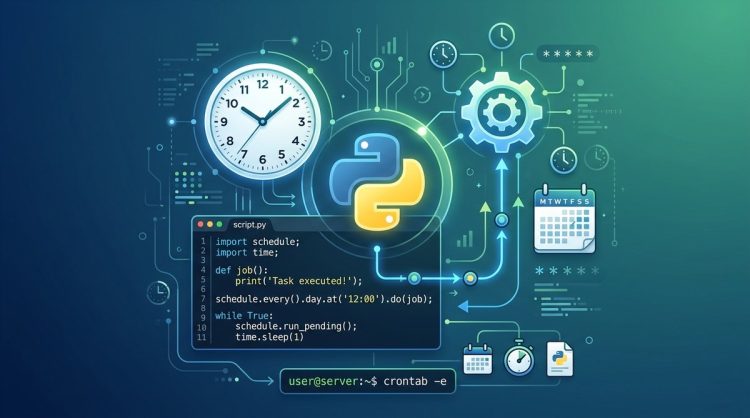
Imagine waking up to a neatly organized server that runs backups, checks API health, or generates daily reports without you lifting a finger. That is the magic of cron on Unix like systems. If you are learning Python and love automation, learning how to schedule Python scripts with cron jobs is a natural next step. This guide from PythonB.org walks you through the basics, practical setup steps, common pitfalls, and smarter alternatives for longer term reliability. We will keep things friendly and actionable so you can start today and scale up when your projects demand more power.
What is Cron and crontab
Cron is a time based job scheduler found on most Unix like operating systems. It lets you run scripts or commands automatically at set times, dates, or intervals. The core components are:
- The cron daemon, which runs in the background.
- The crontab (cron table), a list of tasks you want cron to execute.
- Each line in a crontab represents one scheduled job with a specific syntax.
Crontab entries use a simple five part time specification followed by the command to run. The five fields are:
– minute (0-59)
– hour (0-23)
– day of month (1-31)
– month (1-12)
– day of week (0-7) where both 0 and 7 represent Sunday
After the time specification, you put the command you want cron to execute. It is best practice to use absolute paths to both the interpreter and the script.
Why this matters for Python users
– Cron uses the system time. If your server or container runs in a different timezone, your jobs run in that timezone by default.
– Python code often depends on virtual environments or specific library versions. Cron does not automatically activate these environments, so you must configure your job to do so.
– Logs matter. If a job fails or behaves unexpectedly, having a clear log trail makes troubleshooting a lot easier.
Why schedule Python scripts with cron
Automation is not just about running code once. It is about running code on a schedule so you can:
– Keep data fresh by fetching new data periodically.
– Maintain backups and cleanups without manual steps.
– Generate daily reports that you can share with teammates.
– Run health checks and alert if something goes wrong.
Cron is lightweight, reliable, and well supported. For many projects it is the simplest solution that balances ease of use and reliability. As your automation needs grow, you can layer in more advanced tooling, but cron remains an excellent foundation.
Getting your Python script ready for cron
Before you schedule anything, prepare your script so it behaves well when run in a non interactive, minimal environment.
Make your script portable
- Use a shebang line at the top of your Python file: #!/usr/bin/env python3
- Mark the script as executable: chmod +x your_script.py
- Prefer absolute imports and avoid relying on the user’s current working directory.
- If you rely on external data files, use absolute paths or bundle data with the script.
Decide how you want to run it
- Direct invocation: python3 /path/to/script.py
- Executable script with shebang: /path/to/script.py
- In a virtual environment: activate the venv first in the cron command, or point to the Python in the venv: /path/to/venv/bin/python /path/to/script.py
Logging and error handling
- Redirect stdout and stderr to a log file for monitoring: >> /path/to/logfile.log 2>&1
- Implement robust logging inside the Python script using the logging module.
- Consider exit codes: a non zero exit code should trigger alerts in more advanced setups.
Time zones and system time
- Cron schedules are based on the system clock. If your server runs in UTC or another timezone, your schedule should reflect that.
- For API calls that require a specific timezone, handle it inside your script with the pytz or zoneinfo module and use ISO timestamps for consistency.
Running Python scripts with cron
This section gives you the practical steps to set up a cron job that runs a Python script.
Step by step setup
- Open your user crontab for editing:
-
Command:
crontab -e -
Choose an editor if prompted (vi, nano, etc).
-
Add a new line with your schedule and command. The format is:
-
minute hour day_of_month month day_of_week command
-
Examples:
- Run a Python script every day at 2 AM:
0 2 * * * /usr/bin/python3 /home/youruser/scripts/daily_report.py >> /home/youruser/logs/daily_report.log 2>&1
- Run every 15 minutes:
*/15 * * * * /usr/bin/python3 /home/youruser/scripts/check_api.py >> /home/youruser/logs/check_api.log 2>&1
-
Run on Sundays at midnight:
0 0 * * 0 /usr/bin/python3 /home/youruser/scripts/cleanup.py >> /home/youruser/logs/cleanup.log 2>&1
-
Save and exit. Cron will install the new job automatically.
-
Verify your crontab:
- Command:
crontab -l -
You should see your new line listed.
-
Create or verify log files exist so cron can write to them:
mkdir -p /home/youruser/logstouch /home/youruser/logs/daily_report.log
Using a virtual environment within cron
If you rely on a virtual environment, you can activate it in the cron command:
- Create a venv at /home/youruser/venv
- Command example:
0 3 * * * /bin/bash -lc "/home/youruser/venv/bin/python /home/youruser/scripts/daily_report.py >> /home/youruser/logs/daily_report.log 2>&1"
Notes:
– The /bin/bash -lc wrapper ensures the shell loads your shell environment correctly, including any PATH customizations.
– Alternatively, you can source an activation script before running Python:
– 0 3 * * * /bin/bash -lc "source /home/youruser/venv/bin/activate; python /home/youruser/scripts/daily_report.py >> /home/youruser/logs/daily_report.log 2>&1"
Absolute paths and permissions
- Always use absolute paths for both Python and the script.
- Ensure the script and any data files are readable by the user under which cron runs.
- If the script needs to write to files, ensure those directories exist and are writable.
Testing cron jobs
- Run the script manually in the same environment first:
python3 /home/youruser/scripts/daily_report.py- If it depends on environment variables, set them directly in the script or within the cron command:
0 2 * * * export API_KEY=your_key; /usr/bin/python3 /home/.../script.py >> ...
Common pitfalls when starting with cron
- Environment mismatch: Cron provides a minimal environment. Commands that rely on PATH or certain environment variables may fail.
- Relative paths: Always switch to absolute paths in cron lines.
- Output blocking: Without logging, you might miss failures. Always redirect output.
- Time drift and DST: If your server changes timezone or clocks drift, scheduled tasks can shift unexpectedly.
- File permissions: The cron user must have permission to execute the script and access data files.
Alternatives to Cron for Python scheduling
Cron is great for simple, reliable tasks, but as your automation needs grow you might want more features. Here are popular alternatives that fit different scenarios.
Python libraries you can run inside your application
- python-crontab: A library to read, write, and manage your crontab from Python itself. Great for auto configuring tasks from a Python program.
- Pros: Programmatic control, easy to version with code
-
Cons: Requires your script or service to run a Python process that updates crontab
-
schedule: Lightweight in memory scheduler with a simple API.
- Pros: Easy to use, good for small scripts without external dependencies
-
Cons: Not persistent across reboots and not suitable for production level reliability
-
APScheduler: A robust scheduler with multiple backends like in memory, database stores, and job persistence.
- Pros: Flexible, supports Cron like expressions, time zones, job stores
- Cons: More complexity to configure
Distributed and workflow oriented options
- Celery beat: Part of the Celery ecosystem for distributed task scheduling.
- Pros: Scales well, handles retries, results, and concurrency
-
Cons: Requires a message broker like RabbitMQ or Redis
-
Airflow or Prefect: Workflow automation platforms that can schedule complex pipelines, handle dependencies, retries, and monitoring.
- Pros: Powerful for data pipelines and ETL tasks
-
Cons: Overkill for simple scripts, setup can be heavier
-
Cloud based schedulers:
- AWS EventBridge (formerly CloudWatch Events)
- Google Cloud Scheduler
- Azure Logic Apps or Functions with timers
- Pros: Serverless, scalable, good for cross cloud environments
- Cons: May incur cloud costs, requires cloud credentials
System level and container friendly options
- systemd timers: A modern alternative on Linux that works well with systemd services.
- Pros: Better logging, integrated with systemd unit management
-
Cons: Slightly more complex to configure if you are new to systemd
-
Kubernetes CronJob: For containerized workloads in Kubernetes.
- Pros: Native to Kubernetes, scales with your cluster
-
Cons: Requires Kubernetes knowledge, overhead for small tasks
-
Windows Task Scheduler: If you operate Windows machines, this is the built in option.
- Pros: Integrated, GUI and CLI support
- Cons: Different scheduling semantics and environment from cron
Monitoring and maintaining Python cron jobs
Keeping an eye on your scheduled tasks is essential. Here are practical strategies to monitor cron jobs effectively.
Logging and alerting basics
- Always log output to a file, for example:
>> /path/to/logs/script.log 2>&1- Use structured logging inside Python:
- import logging; logging.basicConfig(level=logging.INFO, filename=’/path/to/logs/script.log’, format=’%(asctime)s %(levelname)s:%(message)s’)
- Consider alerting on failures:
- Send an email on failure (your mail transfer agent must be configured)
- Push a notification to a chat channel or alerting system
External monitoring services
- Cronitor, UptimeRobot, or similar tools can help monitor your cron endpoints or logs by checking that a log file receives new content on schedule.
- Some teams route logs to centralized platforms like ELK or Splunk for searching and dashboards.
Practical tips for observability
- Keep a small rotation strategy for logs to avoid filling up disk space.
- Use meaningful log messages that include timestamps and task identifiers.
- Include a health check script that can verify essential services or API endpoints from the same environment as your cron job.
Time zone and Unix timestamps in scheduling
Unix timestamps and time zones can complicate automation. Here are practical guidelines:
- Cron uses the server time. If you operate in multiple time zones, consider standardizing on UTC for the server and convert times within Python as needed.
- If a script depends on a specific timezone, set that explicitly in Python using timezone aware datetimes (zoneinfo in Python 3.9+ or pytz for earlier versions).
- When scheduling API calls or time based events, store and log the event time in UTC then convert to local time only for display.
Best practices for reliable cron based scheduling
- Ensure idempotency: Your script should be safe to run multiple times without causing inconsistent state.
- Avoid relying on user input: Crons run in non interactive contexts; design your script to fail gracefully if input is unavailable.
- Use clear exit codes: A zero exit code means success; non zero codes can trigger alerts.
- Separate concerns: Use separate scripts or modular functions for different tasks to keep maintenance straightforward.
- Version control your cron configuration: Keep your crontab lines in a text file and apply them with automation when possible.
Real world example workflows
Here are a few practical cron workflows you might implement as a Python learner.
- Daily data fetch and transformation
- Schedule a Python script to call a public API, transform data, and write to a local file or database.
-
Example cron line:
0 1 * * * /usr/bin/python3 /home/user/scripts/fetch_and_transform.py >> /home/user/logs/fetch.log 2>&1 -
Nightly backups
- Backup important files or databases to a dedicated backup directory or remote storage.
-
Example cron line:
30 2 * * * /usr/bin/python3 /home/user/scripts/backup.py >> /home/user/logs/backup.log 2>&1 -
Weekly report generation
- Produce a report by aggregating data and saving a PDF or CSV, then email it to a distribution list.
- Example cron line:
0 6 * * 1 /usr/bin/python3 /home/user/scripts/generate_report.py >> /home/user/logs/report.log 2>&1
Time zone friendly scheduling patterns
- If your server is in UTC but your business hours are in another timezone, you can schedule tasks using UTC times and adjust within the Python code to local times when presenting results.
- For dashboards and user facing data, log timestamps in UTC to avoid confusion and convert for human readers later.
A compact checklist before you deploy
- [ ] Script uses absolute paths for files and resources
- [ ] Virtual environment activation or explicit Python path is configured
- [ ] Logs are redirected and rotatable
- [ ] Script is executable and has a proper shebang
- [ ] Time zone handling is clear and consistent
- [ ] Cron daemon is running on the host
- [ ] Permissions are tightened for security
Wrapping up and next steps
Cron is a time honored, dependable way to automate Python scripts. It gives you a solid baseline for recurring tasks and serves as a stepping stone to more advanced scheduling systems as your needs grow. If you start with a simple Python script and a well planned cron line, you can achieve a surprising amount of automation with minimal overhead.
If you want to go beyond Cron, explore the lightweight libraries like schedule or APScheduler for in app scheduling, or consider Celery beat or Airflow for bigger workflows that require retries, dependencies, and distributed execution. For cloud friendly architectures, experiment with AWS EventBridge or Google Cloud Scheduler to trigger Python code running in serverless contexts or containers.
On PythonB.org, we love showing how to turn Python from a learning exercise into a practical automation partner. As you practice scheduling scripts with cron, you will gain confidence in controlling time based tasks, handling real world edge cases, and moving toward scalable automation patterns that fit your projects.
Appendix: Quick reference cheat sheet
- crontab basics:
- Syntax: minute hour day_of_month month day_of_week command
- Examples provided above demonstrate common patterns
- Common cron pitfalls:
- Always use absolute paths
- Redirect output to log files
- Ensure the Python interpreter matches your environment
- Quick testing technique:
- Run your Python script directly to verify it behaves as expected
- Then set up cron and watch the log files for output and errors
If you want to share your cron schedules or ask for help, drop a note in the comments or in our automation community sections. Happy scripting, and may your cron jobs run on time every time!
